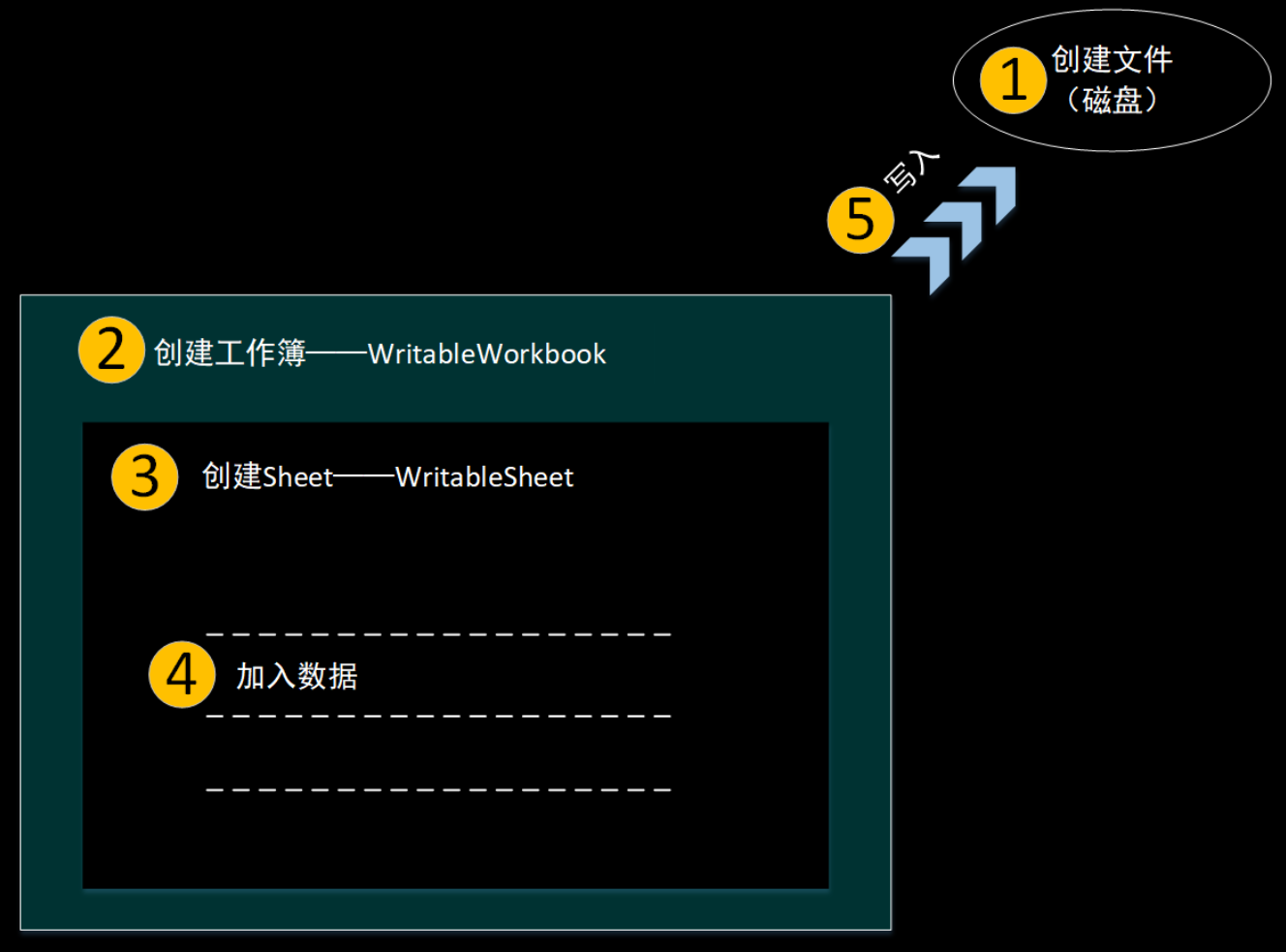
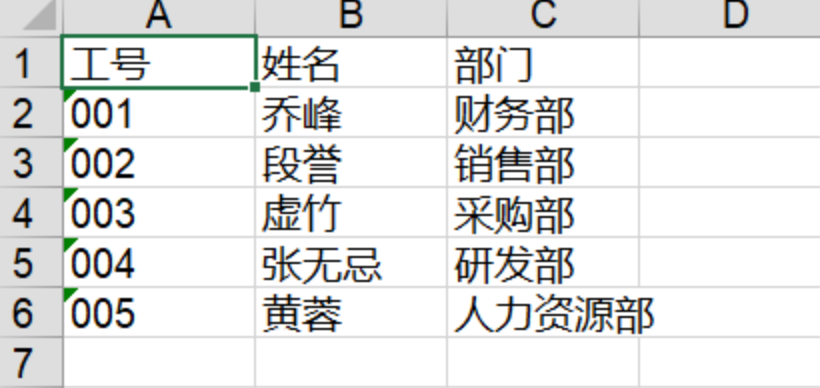
学生基本信息管理也是校园疫情防控管理系统中一个重要的功能模块,包括对学生个人信息和账户信息的增删改查。本小节讲解实现添加学生信息。
1、学生管理页面
学生管理页面把对学生的增删改查操作和文件导出操作集成在同一个窗口中,如下图所示。
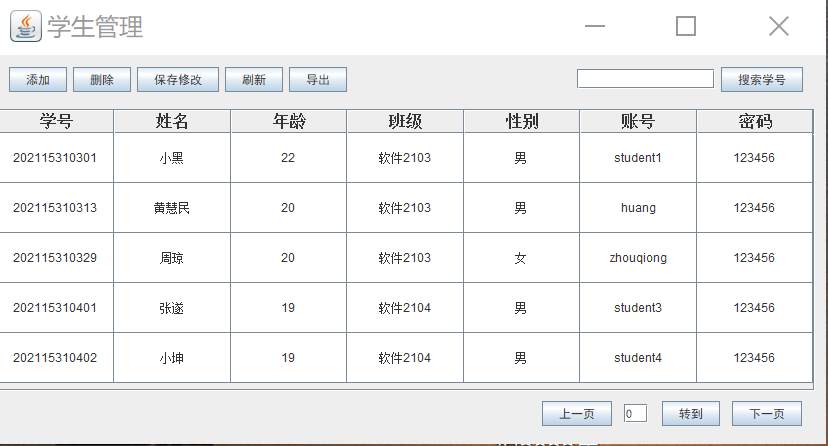
学生管理页面主体为一个表格展示所有学生信息,并对表格实现了分页展示。然后是几个功能按钮,包括添加、删除、保存修改、刷新、按学号搜索和导出按钮。代码量相对较大,部分实现代码如下:
String[] columnNames= {"学号","姓名","年龄","班级","性别","账号","密码"};
int row=stus.size()-page*5>5?5:stus.size()-page*5;
Object[][] tableValues=new Object[row][7];
for(int i=page*5,j=0;i<stus.size()&&i<page*5+5;i++,j++){
tableValues[j][0]=stus.get(i).getStuid();
tableValues[j][1]=stus.get(i).getName();
tableValues[j][2]=Integer.toString(stus.get(i).getAge());
tableValues[j][3]=stus.get(i).getStuclass();
tableValues[j][4]=stus.get(i).getSex();
tableValues[j][5]=stus.get(i).getStuname();
tableValues[j][6]=stus.get(i).getPassword();
}
DefaultTableCellRenderer tcr=new DefaultTableCellRenderer();//设置单元格内容居中
tcr.setHorizontalAlignment(JLabel.CENTER);
JButton btnNewButton_2 = new JButton("上一页");
btnNewButton_2.addActionListener(new ActionListener() {
public void actionPerformed(ActionEvent e) {
if(page>0) {
new TeaAdStuFrm(stu,page-1).setVisible(true);
dispose();
}else {
JOptionPane.showMessageDialog(null, "前面没有咯~");
}
}
});
JButton btnNewButton_1 = new JButton("转到");
btnNewButton_1.addActionListener(new ActionListener() {
public void actionPerformed(ActionEvent e) {
int pagetext=Integer.parseInt(pageText.getText());
if(pagetext<0||pagetext>(stus.size()/5)) {
JOptionPane.showMessageDialog(null, "超出范围!");
pageText.setText(Integer.toString(page));
}
else{
new TeaAdStuFrm(stu,pagetext).setVisible(true);
dispose();
}
}
});
JButton btnNewButton_2_1 = new JButton("下一页");
btnNewButton_2_1.addActionListener(new ActionListener() {
public void actionPerformed(ActionEvent e) {
if(page+1<(stus.size()%5==0?stus.size()/5:stus.size()/5+1)) {
new TeaAdStuFrm(stu,page+1).setVisible(true);
dispose();
}else {
JOptionPane.showMessageDialog(null, "后面没有咯~");
}
}
});
JButton btnNewButton_3 = new JButton("搜索学号");
btnNewButton_3.addActionListener(new ActionListener() {
public void actionPerformed(ActionEvent e) {
Student stu=null;
Connection con=null;
try {
con=stuutil.getCon();
stu=TeacherDao.inquiryId(con,searchText.getText());
stuutil.closeCon(con);
} catch (Exception exc) {
// TODO 自动生成的 catch 块
exc.printStackTrace();
}
if(stu!=null) {
new TeaAdStuFrm(stu,0).setVisible(true);
dispose();
}else {
JOptionPane.showMessageDialog(null, "查无此人!");
}
}
});
2、添加学生页面
单击添加按钮,进入添加学生基本信息的页面,此页面与之前学生用户自己注册的页面相同,此处省略代码。
3、添加事件
教师手动输入待添加的学生信息后,单击添加按钮进行添加操作。事件实现的代码如下:
JButton btnNewButton = new JButton("添加");
btnNewButton.addActionListener(new ActionListener() {
public void actionPerformed(ActionEvent e) {
new StuRegisterFrm(1).setVisible(true);
}
});
4、编写dao层
学生管理页面中,默认会展示所有学生的信息。在TeacherDao类中添加一个方法seeStuMess(),seeStuMess()方法中用于查询数据库所有学生记录。代码如下:
public static ArrayList<Student> seeStuMess(Connection con) throws SQLException{
ArrayList<Student> stus=new ArrayList<>();
String sql="select *from studentuser";
PreparedStatement pstmt=con.prepareStatement(sql);
ResultSet rs=pstmt.executeQuery();
for(int i=0;rs.next();i++) {
Student stu=new Student();
stu.setStuid(rs.getString("uid"));//读出学号
stu.setName(rs.getString("name"));//读出姓名
stu.setAge(Integer.parseInt(rs.getString("age")));//读出年龄
stu.setStuclass(rs.getString("class"));//读出班级
stu.setSex(rs.getString("sex"));//读出性别
stu.setStuname(rs.getString("uname"));//读出账号
stu.setPassword(rs.getString("upassword"));//读出密码
stus.add(stu);
}
return stus;
}
添加学生页面的dao层与之前注册一致,此处省略。
在学生管理页面中单击删除按钮,实现删除功能。
1、删除按钮监听器
实现代码如下:
protected void delActionPerformed(String id,int page) {
Connection con=null;
try {
con=stuutil.getCon();
int flag=TeacherDao.delStu(con,id);
if(flag==1) {
JOptionPane.showMessageDialog(null, "删除成功!");
new TeaAdStuFrm(null,page).setVisible(true);
dispose();
}
else {
JOptionPane.showMessageDialog(null, "删除失败!");
}
stuutil.closeCon(con);
} catch (Exception e) {
e.printStackTrace();
}
}
2、编写dao层
在TeacherDao类中添加一个 delStu()方法,delStu()方法用于从数据库删除该条学生记录,实现代码如下:
public static int delStu(Connection con,String id)throws Exception{
String sql="delete from studentuser where uid=?";
PreparedStatement pstmt=con.prepareStatement(sql);
pstmt.setString(1, id);
return pstmt.executeUpdate();
}
1、修改按钮监听器事件
在学生管理页面中单击修改按钮,实现修改功能。实现代码如下:
protected void updataActionPerformed() {
ArrayList<Student> stus = new ArrayList<>();
for(int i=0;i<table.getRowCount();i++) {
Student stu=new Student();
stu.setStuid(table.getValueAt(i, 0).toString());
stu.setName(table.getValueAt(i, 1).toString());
stu.setAge(Integer.parseInt(table.getValueAt(i, 2).toString()));
stu.setStuclass(table.getValueAt(i, 3).toString());
stu.setSex(table.getValueAt(i, 4).toString());
stu.setStuname(table.getValueAt(i, 5).toString());
stu.setPassword(table.getValueAt(i, 6).toString());
stus.add(stu);
}
Connection con=null;
try {
con=stuutil.getCon();
int flag=1;
for(int i=0;i<stus.size();i++) {
int f=TeacherDao.updateStu(con, stus.get(i));
if(f==0)
flag=0;
}
if(flag==1) {
JOptionPane.showMessageDialog(null, "保存成功!");
}
else {
JOptionPane.showMessageDialog(null, "保存失败!");
}
stuutil.closeCon(con);
} catch (Exception e) {
// TODO 自动生成的 catch 块
e.printStackTrace();
}
}
2、编写dao层
在TeacherDao类中添加一个 updateStu()方法,updateStu()方法用于从数据库修改该条学生记录,实现代码如下:
public static int updateStu(Connection con,Student stu)throws Exception{
String sql="update studentuser set name=?,age=?,class=?,sex=?,uname=?,upassword=? where uid=?";
PreparedStatement pstmt=con.prepareStatement(sql);
pstmt.setString(1,stu.getName());
pstmt.setInt(2,stu.getAge());
pstmt.setString(3,stu.getStuclass());
pstmt.setString(4,stu.getSex());
pstmt.setString(5,stu.getStuname());
pstmt.setString(6,stu.getPassword());
pstmt.setString(7,stu.getStuid());
return pstmt.executeUpdate();
}
1、搜索按钮监听器事件
在学生管理页面中单击学号搜索按钮,实现根据学号搜索功能。实现代码如下:
JButton btnNewButton_3 = new JButton("搜索学号");
btnNewButton_3.addActionListener(new ActionListener() {
public void actionPerformed(ActionEvent e) {
Student stu=null;
Connection con=null;
try {
con=stuutil.getCon();
stu=TeacherDao.inquiryId(con,searchText.getText());
stuutil.closeCon(con);
} catch (Exception exc) {
// TODO 自动生成的 catch 块
exc.printStackTrace();
}
if(stu!=null) {
new TeaAdStuFrm(stu,0).setVisible(true);
dispose();
}else {
JOptionPane.showMessageDialog(null, "查无此人!");
}
}
});
2、编写dao层
在TeacherDao类中添加一个 inquiryId()方法,inquiryId()方法用于从数据库搜索该学号的学生记录,实现代码如下:
public static Student inquiryId(Connection con,String id) throws Exception{
String sql="select *from studentuser where uid=?";
PreparedStatement pstmt=con.prepareStatement(sql);
pstmt.setString(1,id);
ResultSet rs=pstmt.executeQuery();
Student stu=new Student();
if(rs.next()){
stu.setStuid(rs.getString("uid"));//读出学号
stu.setName(rs.getString("name"));//读出姓名
stu.setAge(Integer.parseInt(rs.getString("age")));//读出年龄
stu.setStuclass(rs.getString("class"));//读出班级
stu.setSex(rs.getString("sex"));//读出性别
stu.setStuname(rs.getString("uname"));//读出账号
stu.setPassword(rs.getString("upassword"));//读出密码
return stu;
}else return null;
}