-
1 Warming up
-
2 Listening 1&...
-
3 Listening 1&...
-
4 Audioscript
Objectives:
recognize the common types of cybercrimes
understand how to protect yourself from common cybercrimes
understand supporting evidence
1.Words and expressions
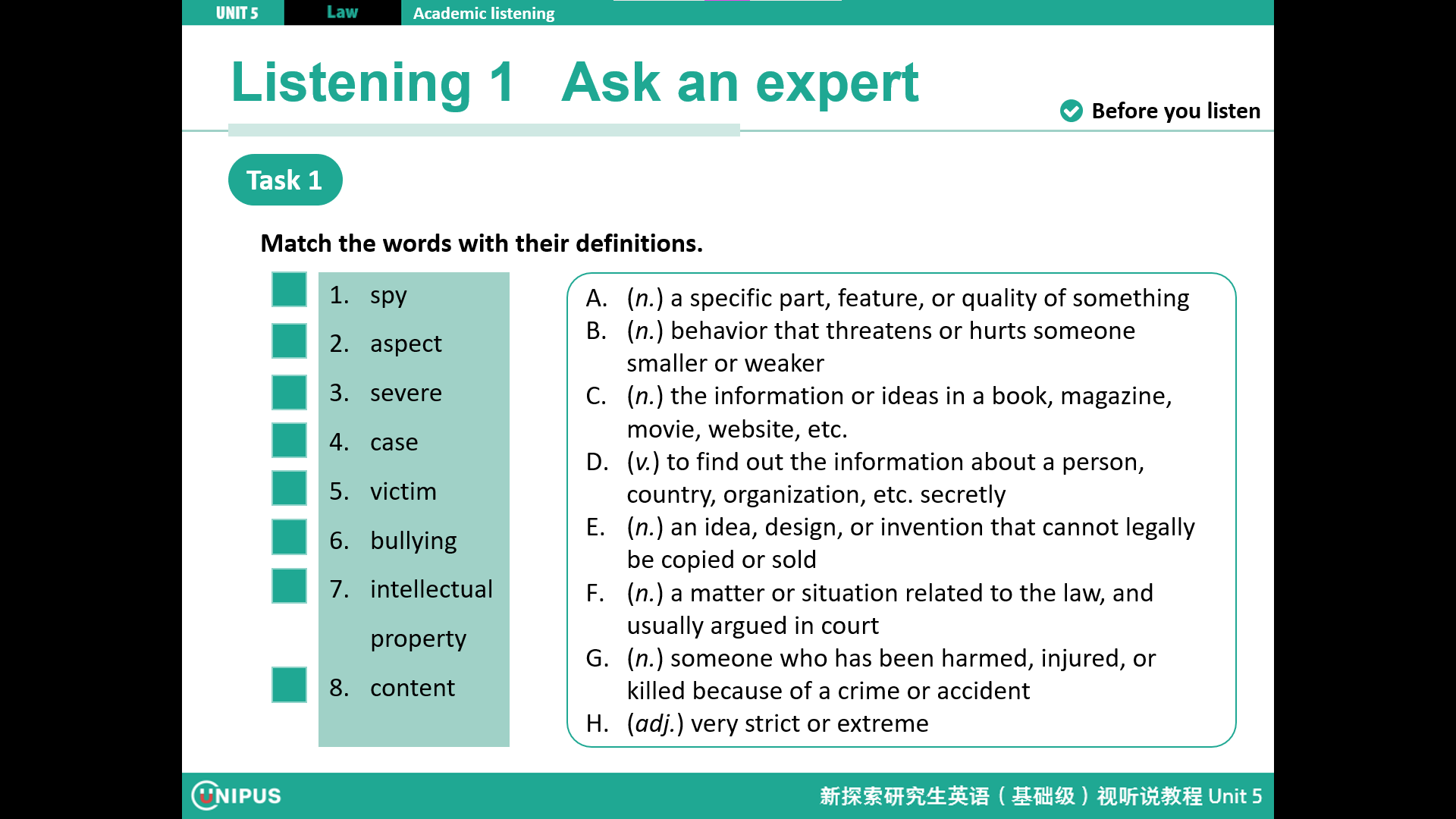
cybercrime n. 网络犯罪 fraud n. 欺诈,诈骗
ransom n. 赎金 ransomware n. 勒索软件
cyberworld n. 网络世界 phishing n. 网络钓鱼
analogy n. 类似处,相似处
2.Watch the video and read aloud following the recording.
视频原文 Cybercrime
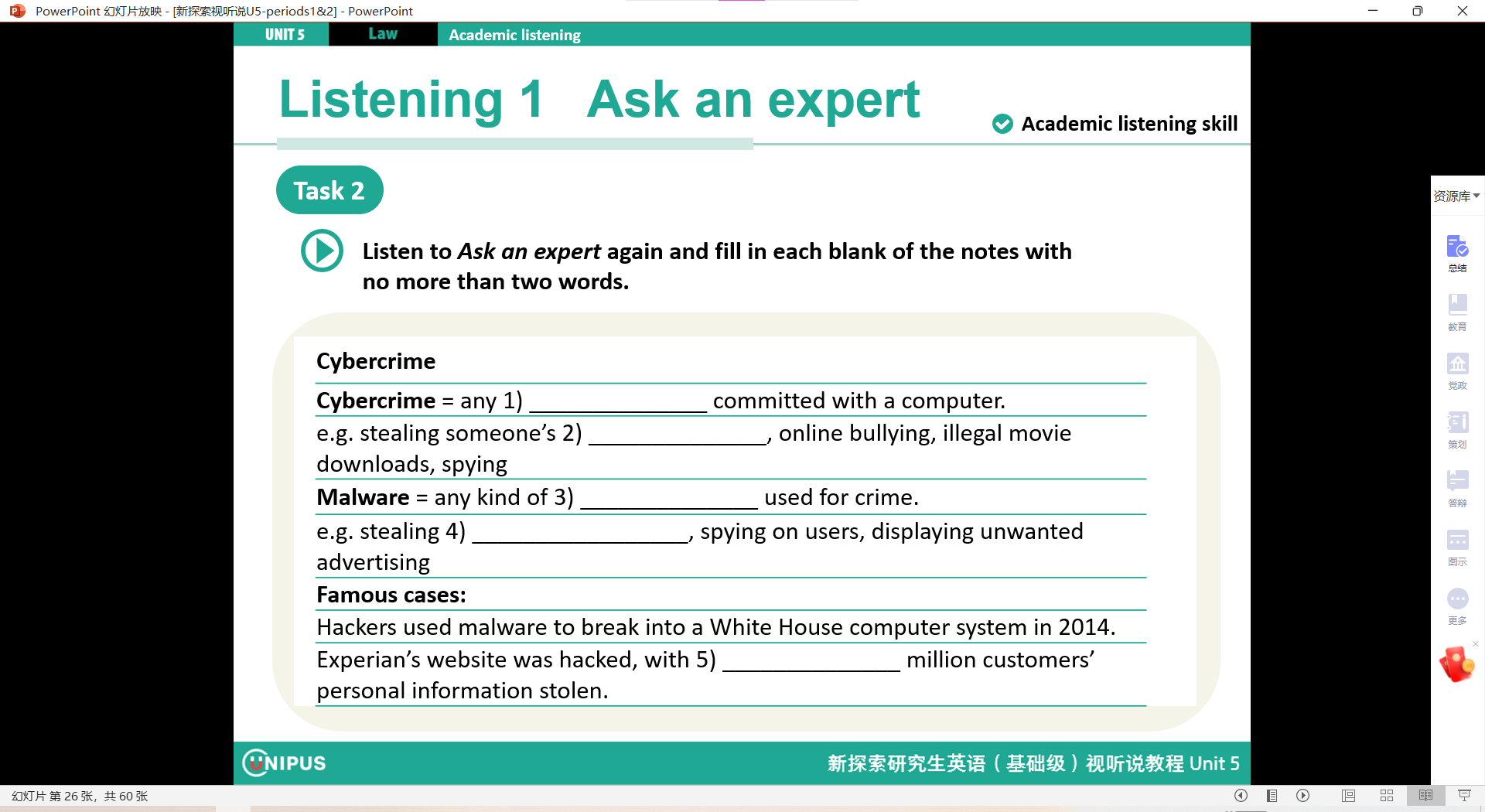
With advancements in Internet technology, cybercrime is rising. Experts say that modern criminals can steal more with a keyboard than they can with a gun. Internet technology has not only given traditional crimes such as fraud a new form, but also brought cybercrimes like hacking.
Let’s look at these cybercrimes together.
Fraud is a crime that tricks victims out of money or property. Internet fraud is similar. Criminals use the Internet to cheat others to get money or property.
Besides fraud, there’s ransomware. Holding someone or something for ransom means refusing to release it until money is paid. Ransomware works in the same way. Criminals will use ransomware to threaten to publish the victim’s data, or to block their access to their own data, until a huge ransom is paid.
To hack means to cut or chop. In cyberworld, hacking involves illegally breaking into a computer system or network. Usually hackers do it either to make a profit, or to gather secret or important information to use or sell.
Phishing comes from the analogy to “fishing.” Phishing is the crime of tricking people into giving sensitive information. By faking official websites or by sending emails and text messages, criminals try to get usernames, passwords and financial information.
Though cybercrime has a short history, it is now a major security threat. Cybercrime prevention needs our joint effort and every Internet user’s awareness of risks.
3.视频译文:
随着互联网技术的进步,网络犯罪正在上升。专家们说现代犯罪分子用键盘能偷的比用枪还多。互联网技术不仅给传统犯罪如诈骗带来了新形式,还带来了像黑客攻击这样的网络犯罪。
让我们一起来看这些网络犯罪。
诈骗是一种欺骗受害者钱财或财产的犯罪。网络诈骗与之类似。犯罪分子利用互联网欺骗他人以获取钱财或财产。
除了诈骗,还有勒索软件。勒索某人或某物意味着在支付赎金之前拒绝释放。勒索软件的工作原理相同。犯罪分子会用勒索软件威胁要发布受害者的信息,或者阻止他们访问自己的数据,直到支付巨额赎金。
在现实世界中,"hack"意为”砍“或”劈“。在网络世界中,“黑客”意味着非法侵入计算机系统或网络。通常,黑客这么做要么是为了获利,要么是为了收集秘密或重要信息以使用或出售。
“网络钓鱼”来自对“钓鱼”的类比。网络钓鱼是诱骗人们提供敏感信息的犯罪行为。通过伪造官方网站或发送电子邮件和短信,犯罪分子试图获取用户名、密码和财务信息。
尽管网络犯罪历史较短,但现在已成为主要的安全威胁。预防网络犯罪需要我们共同努力,提高每个互联网用户的风险意识。
4.扩展阅读:Some suggestions for protecting yourself from cybercrimes:
Use Strong Passwords: Create complex and unique passwords that combine uppercase letters, lowercase letters, numbers, and symbols to prevent unauthorized access.
Enable Two-Factor Authentication (2FA): Add an extra layer of security by requiring a second form of verification, such as a text message or app notification, in addition to your password.
Don't Save Passwords: Avoid saving passwords in your browser; use a secure password manager to protect sensitive information.
Manage Social Media Settings: Keep personal and private information private and reduce the amount of information you share publicly to prevent social engineering criminals from obtaining personal data.
Keep Software Up to Date: Regular updates to your operating systems and software are fundamental practices in cybersecurity, as manufacturers release patches to fix vulnerabilities.
Use Antivirus Software: Invest in reputable antivirus software to protect against malware and other digital threats.
Use a Firewall: A strong firewall acts as a critical defense, monitoring and controlling incoming and outgoing network traffic to prevent unauthorized access.
Don't Click on Spam Links: Be cautious online and avoid clicking on suspicious links to reduce the risk of falling victim to phishing or malware.
Don't Open Spam Attachments: Unsolicited email attachments may contain malware that can compromise your system; avoiding opening these attachments is key to preventing security breaches.
Use a VPN: A Virtual Private Network (VPN) adds an extra layer of security by encrypting your internet connection, especially when using public Wi-Fi networks.
Backup Data: In the face of the growing threat of ransomware, regularly backing up your data is crucial to prevent data loss.
Educate Yourself: Stay informed about the latest cyber threats and security best practices to enhance your personal and organizational defenses.