

<!DOCTYPE html>
<html>
<head>
<meta charset="UTF-8">
<title>京东轮播特效</title>
<link rel="stylesheet" type="text/css" href="jd.css"/>
</head>
<body>
<div id="panel">
<!--面板标题-->
<div id="panelTitle">
JD.COM京东
</div>
<!--面板主体-->
<div id="panelBody">
<a href="#" id="panelHref">
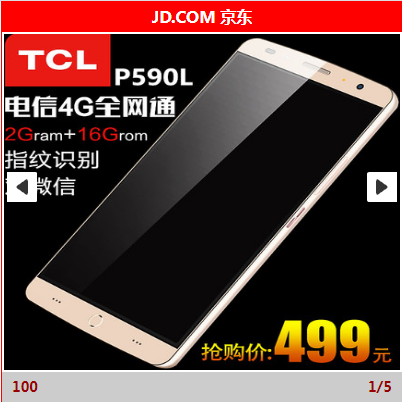
<img src="img/b1.jpg" id="panelImg"/>
</a>
</div>
<!--面板说明-->
<div id="panelInf">
<p id="panelPrice">100</p>
<p id="panelSort">1/5</p>
</div>
</div>
<script type="text/javascript" src="jd.js">
</script>
</body>
</html>
*{
margin: 0;
padding: 0;
list-style: none;
}
/*面板样式*/
#panel{
width: 400px;
height: 400px;
margin: 0 auto;
background-color: #ccc;
}
/*面板头部样式*/
#panelTitle{
width: 400px;
height: 30px;
line-height: 30px;
text-align: center;
background-color: red;
color: white;
font-weight: bolder;
}
/*面板主体样式*/
#panelBody{
width: 400px;
height: 340px;
background-color: pink;
overflow: hidden;
}
#panelHref{
display: block;
width: 100%;
height: 100%;
}
#panelImg{
width: 100%;
height: 100%;
}
/*面板说明样式*/
#panelInf{
width: 400px;
height: 30px;
line-height: 30px;
background-color: #ccc;
color: darkred;
}
#panelPrice{
width: 190px;
height: 30px;
float: left;
padding-left: 10px;
}
#panelSort{
width: 190px;
height: 30px;
padding-right: 10px;
float: left;
text-align: right;
}
//1.获取对象
var panelBody = document.getElementById("panelBody");
var panelHref = document.getElementById("panelHref");
var panelImg = document.getElementById("panelImg");
var panelPrice= document.getElementById("panelPrice");
var panelSort = document.getElementById("panelSort");
//2.定义数组
var picArray = new Array("img/b1.jpg","img/b2.jpg","img/b3.jpg","img/b4.jpg","img/b5.jpg");//图片路径数组
var priceArray= new Array(100,200,300,400,500);//价格数组
var hrefArray = new Array("#","http://www.baidu.com","http://www.ccutchi.com","http://www.ccutchi.com/shangmao","#");//存放URl路径数组
//3.定义变量
var timer = null;//定义定时器
var n = picArray.length;//图片个数
var count = 0;//播放计数器
var speed = 1000;//定时器时间间隔
//4.定义方法
//4.1定义显示页面信息函数
function show(count)
{
panelImg.src = picArray[count];//加载图片
panelHref.href = hrefArray[count];//更新URL
panelPrice.innerHTML = priceArray[count];//加载价格
panelSort.innerHTML = (count+1)+"/"+n;
//加载显示图片顺序
}
//结束
//调用show方法
//show(4);
//4.2 定义向右播放函数
function moveRoRight()
{
//判断播放的位置
if(count==n-1)//最后一张图片
{
count =0;
}
else
{
count++;
}
//调用显示方法
show(count);
}
//4.3设置自动播放
timer = setInterval(moveRoRight,speed);
//4.4停止自动播放,也就是为panelBody添加鼠标移入事件
panelBody.onmouseover = function(){
//清除定时器
clearInterval(timer);
};
//4.5开启自动播放,也就是为panelBody添加鼠标移出事件
panelBody.onmouseout = function(){
//开启定时器
timer = setInterval(moveRoRight,speed);
};

