
Operating Manual for UVEX-p
1 remove the cover and Turn on the UVEX-P
2 place the crystallization tray on the microscope stage
3 launch the control program CrystalDetect.
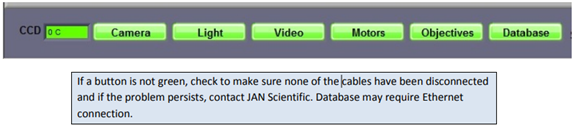
As the program initializes, it checks for the presence camera, light controller, motors, and database connection. On successful discovery, the corresponding buttons turn green.
The X, Y & Z positions are homed and you will be asked to enter details about the plate, starting with the barcode.
4 Under “Plate” and select the appropriate correct plate type (VERY IMPORTANT!!!). Enter the user name by right clicking and selecting from the list or click Add New and add the newuser name in the pop-up window.
5 Click “Continue”and the plate will be moved to default X, Y and Z values set for that plate type.
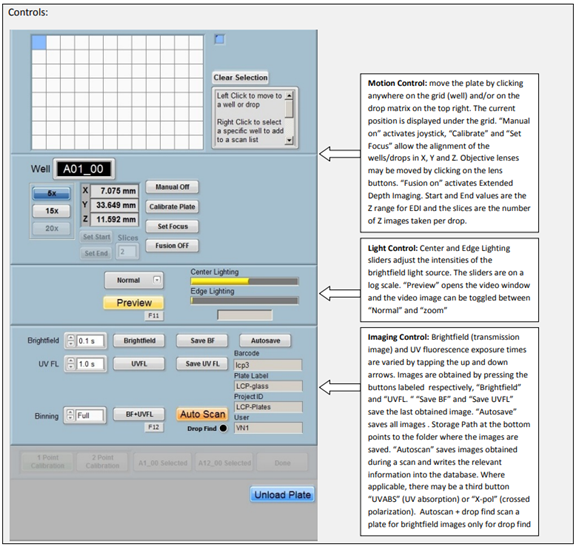
6 load Plate and start your experiment (设置曝光时间为0.1s,图片中的1.0s是错误设置。).
6 Once your experiment is finished, click Unload plate.
7 Remove the crystallization tray on the microscope stage.
8 exit the program.
9 turn off and cover the instrument.

