
【例3-6】拍照示例
设计一个简易照相机,能显示摄像头拍摄的景物并拍照。
教学视频
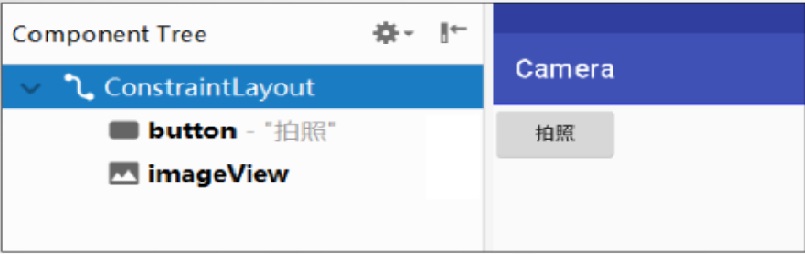
布局文件camera.xml的源代码
<?xml version="1.0" encoding="utf-8"?>
<LinearLayout xmlns:android="http://schemas.android.com/apk/res/android"
xmlns:tools="http://schemas.android.com/tools"
android:layout_width="match_parent"
android:layout_height="match_parent"
android:orientation="vertical">
<Button
android:id="@+id/button"
android:layout_width="wrap_content"
android:layout_height="wrap_content"
android:text="拍照" />
<ImageView
android:id="@+id/imageView"
android:layout_width="match_parent"
android:layout_height="match_parent"
android:scaleType="centerCrop" />
</LinearLayout>
控制文件CameraActivity.java源代码
package com.example.chap03;
import android.content.Intent;
import android.graphics.Bitmap;
import android.os.Bundle;
import android.provider.MediaStore;
import android.view.View;
import android.widget.Button;
import android.widget.ImageView;
import androidx.appcompat.app.AppCompatActivity;
public class CameraActivity extends AppCompatActivity {
Button btn;
ImageView img;
private static final int CAN_REQUEST=1313;//请求码,用于标识请求来源
@Override
protected void onCreate(Bundle savedInstanceState){
super.onCreate(savedInstanceState);
setContentView(R.layout.camera);
btn=(Button)findViewById(R.id.button);
img=(ImageView)findViewById(R.id.imageView);
btn.setOnClickListener(new btnTakePhotoClicker());
}
//接收传回的图像
@Override
protected void onActivityResult(int requestCode,int resultCode,Intent data){
super.onActivityResult(requestCode,resultCode,data);
if(requestCode==CAN_REQUEST){
Bitmap bitmap=(Bitmap) data.getExtras().get("data");
img.setImageBitmap(bitmap);
}
}
class btnTakePhotoClicker implements Button.OnClickListener{
@Override
public void onClick(View view) {
Intent intent=new Intent(MediaStore.ACTION_IMAGE_CAPTURE);
startActivityForResult(intent,CAN_REQUEST);
}
}
}
打开项目配置文件AndroidManifest.xml,配置要启动的Activity类名
<?xml version="1.0" encoding="utf-8"?>
<manifest xmlns:android="http://schemas.android.com/apk/res/android"
package="com.example.chap03">
<application
android:allowBackup="true"
android:icon="@mipmap/ic_launcher"
android:label="@string/app_name"
android:roundIcon="@mipmap/ic_launcher_round"
android:supportsRtl="true"
android:theme="@style/AppTheme">
<activity android:name=".CameraActivity">
<intent-filter>
<action android:name="android.intent.action.MAIN" />
<category android:name="android.intent.category.LAUNCHER" />
</intent-filter>
</activity>
</application>
<uses-permission android:name="android.permission.WRITE_EXTERNAL_STORAGE" />
<uses-permission android:name="android.permission.READ_EXTERNAL_STORAGE" />
<uses-permission android:name="android.permission.INTERNET" />
</manifest>
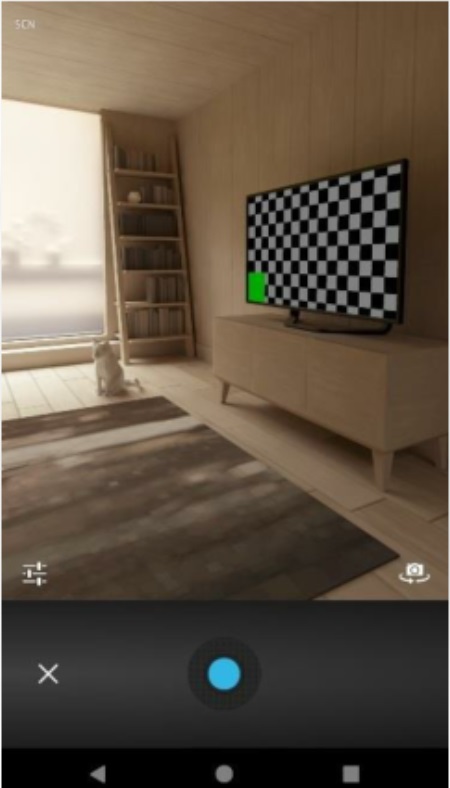
模拟器上运行效果:
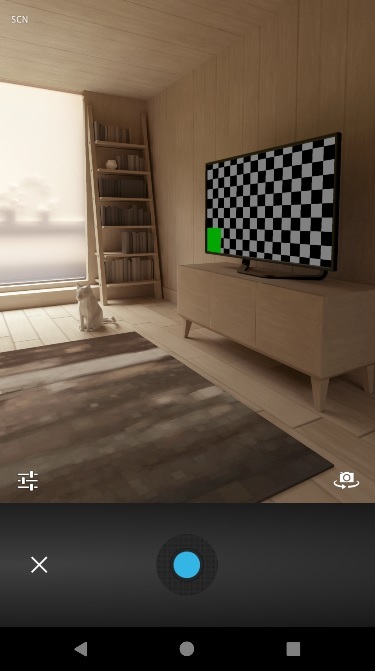
本案例在华为手机上做了测试,测试情况如下:

