

1.2.1 练习Python基础工具包
1.2.1.1 Numpy
1.2.1.2 Pandas
安装Pandas: pip install pandas
1.2.1.3 Matplotlib
安装pip install matplotlib 注意: 必须Python3
1.2.2 NLP基本处理
本文将讨论文本预处理的基本步骤,旨在将文本信息从人类语言转换为机器可读格式以便用于后续处理。此外,本文还将进一步讨论文本预处理过程所需要的工具。
当拿到一个文本后,首先从文本正则化(text normalization) 处理开始。常见的文本正则化步骤包括:
将文本中出现的所有字母转换为小写或大写
将文本中的数字转换为单词或删除这些数字
删除文本中出现的标点符号、重音符号以及其他变音符号
删除文本中的空白区域
扩展文本中出现的缩写
删除文本中出现的终止词、稀疏词和特定词
文本规范化(text canonicalization)
将文本中出现的字母转化为小写
示例1:将字母转化为小写
Python 实现代码:
input_str = ”The 5 biggest countries by population in 2017 are China, India, United States, Indonesia, and Brazil.”
input_str = input_str.lower()
print(input_str)
输出:
the 5 biggest countries by population in 2017 are china, india, united states, indonesia, and brazil.
删除文本中出现的数字
如果文本中的数字与文本分析无关的话,那就删除这些数字。通常,正则化表达式可以帮助你实现这一过程。
示例2:删除数字
Python 实现代码:
import re
input_str = ’Box A contains 3 red and 5 white balls, while Box B contains 4 red and 2 blue balls.’
result = re.sub(r’\d+’, ‘’, input_str)
print(result)
输出:
Box A contains red and white balls, while Box B contains red and blue balls.
删除文本中出现的标点
以下示例代码演示如何删除文本中的标点符号,如 [!”#$%&’()*+,-./:;<=>?@[\]^_`{|}~] 等符号。
示例3:删除标点
Python 实现代码:
import string
input_str = “This &is [an] example? {of} string. with.? punctuation!!!!” # Sample string
result = input_str.translate(string.maketrans(“”,””), string.punctuation)
print(result)
输出:
This is an example of string with punctuation
删除文本中出现的空格
可以通过 strip()函数移除文本前后出现的空格。
示例4:删除空格
Python 实现代码:
input_str = “ \t a string example\t “
input_str = input_str.strip()
input_str
输出:
‘a string example’
删除文本中出现的终止词
终止词(Stop words) 指的是“a”,“a”,“on”,“is”,“all”等语言中最常见的词。这些词语没什么特别或重要意义,通常可以从文本中删除。一般使用 Natural Language Toolkit(NLTK) 来删除这些终止词,这是一套专门用于符号和自然语言处理统计的开源库。
示例7:删除终止词
实现代码:
input_str = “NLTK is a leading platform for building Python programs to work with human language data.”
stop_words = set(stopwords.words(‘english’))
from nltk.tokenize import word_tokenize
tokens = word_tokenize(input_str)
result = [i for i in tokens if not i in stop_words]
print (result)
输出:
[‘NLTK’, ‘leading’, ‘platform’, ‘building’, ‘Python’, ‘programs’, ‘work’, ‘human’, ‘language’, ‘data’, ‘.’]
此外,scikit-learn 也提供了一个用于处理终止词的工具:
from sklearn.feature_extraction.stop_words import ENGLISH_STOP_WORDS
同样,spaCy 也有一个类似的处理工具:
from spacy.lang.en.stop_words import STOP_WORDS
删除文本中出现的稀疏词和特定词
在某些情况下,有必要删除文本中出现的一些稀疏术语或特定词。考虑到任何单词都可以被认为是一组终止词,因此可以通过终止词删除工具来实现这一目标。
词干提取(Stemming)
词干提取是一个将词语简化为词干、词根或词形的过程(如 books-book,looked-look)。当前主流的两种算法是 Porter stemming 算法(删除单词中删除常见的形态和拐点结尾) 和 Lancaster stemming 算法。
示例 8:使用 NLYK 实现词干提取
实现代码:
from nltk.stem import PorterStemmer
from nltk.tokenize import word_tokenize
stemmer= PorterStemmer()
input_str=”There are several types of stemming algorithms.”
input_str=word_tokenize(input_str)
for word in input_str:
    print(stemmer.stem(word))
输出:
There are sever type of stem algorithm.
词形还原(Lemmatization)
词形还原的目的,如词干过程,是将单词的不同形式还原到一个常见的基础形式。与词干提取过程相反,词形还原并不是简单地对单词进行切断或变形,而是通过使用词汇知识库来获得正确的单词形式。
当前常用的词形还原工具库包括: NLTK(WordNet Lemmatizer),spaCy,TextBlob,Pattern,gensim,Stanford CoreNLP,基于内存的浅层解析器(MBSP),Apache OpenNLP,Apache Lucene,文本工程通用架构(GATE),Illinois Lemmatizer 和 DKPro Core。
示例 9:使用 NLYK 实现词形还原
实现代码:
from nltk.stem import WordNetLemmatizer
from nltk.tokenize import word_tokenize
lemmatizer=WordNetLemmatizer()
input_str=”been had done languages cities mice”
input_str=word_tokenize(input_str)
for word in input_str:
    print(lemmatizer.lemmatize(word))
输出:
be have do language city mouse
词性标注(POS)
词性标注旨在基于词语的定义和上下文意义,为给定文本中的每个单词(如名词、动词、形容词和其他单词) 分配词性。当前有许多包含 POS 标记器的工具,包括 NLTK,spaCy,TextBlob,Pattern,Stanford CoreNLP,基于内存的浅层分析器(MBSP),Apache OpenNLP,Apache Lucene,文本工程通用架构(GATE),FreeLing,Illinois Part of Speech Tagger 和 DKPro Core。
示例 10:使用 TextBlob 实现词性标注
实现代码:
input_str=”Parts of speech examples: an article, to write, interesting, easily, and, of”
from textblob import TextBlob
result = TextBlob(input_str)
print(result.tags)
输出:
[(‘Parts’, u’NNS’), (‘of’, u’IN’), (‘speech’, u’NN’), (‘examples’, u’NNS’), (‘an’, u’DT’), (‘article’, u’NN’), (‘to’, u’TO’), (‘write’, u’VB’), (‘interesting’, u’VBG’), (‘easily’, u’RB’), (‘and’, u’CC’), (‘of’, u’IN’)]
词语分块(浅解析)
词语分块是一种识别句子中的组成部分(如名词、动词、形容词等),并将它们链接到具有不连续语法意义的高阶单元(如名词组或短语、动词组等) 的自然语言过程。常用的词语分块工具包括:NLTK,TreeTagger chunker,Apache OpenNLP,文本工程通用架构(GATE),FreeLing。
示例 11:使用 NLYK 实现词语分块
第一步需要确定每个单词的词性。
实现代码:
input_str=”A black television and a white stove were bought for the new apartment of John.”
from textblob import TextBlob
result = TextBlob(input_str)
print(result.tags)
输出:
[(‘A’, u’DT’), (‘black’, u’JJ’), (‘television’, u’NN’), (‘and’, u’CC’), (‘a’, u’DT’), (‘white’, u’JJ’), (‘stove’, u’NN’), (‘were’, u’VBD’), (‘bought’, u’VBN’), (‘for’, u’IN’), (‘the’, u’DT’), (‘new’, u’JJ’), (‘apartment’, u’NN’), (‘of’, u’IN’), (‘John’, u’NNP’)]
第二部就是进行词语分块
实现代码:
reg_exp = “NP: {<DT>?<JJ>*<NN>}”
rp = nltk.RegexpParser(reg_exp)
result = rp.parse(result.tags)
print(result)
输出:
(S (NP A/DT black/JJ television/NN) and/CC (NP a/DT white/JJ stove/NN) were/VBD bought/VBN for/IN (NP the/DT new/JJ apartment/NN)
of/IN John/NNP)
命名实体识别(Named Entity Recognition)
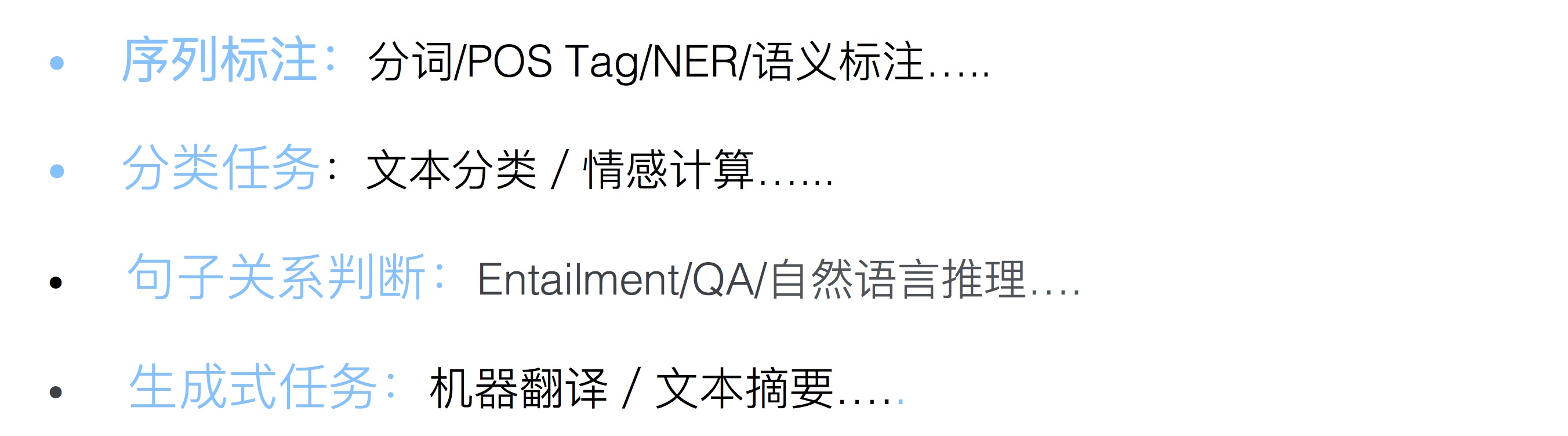
命名实体识别(NER) 旨在从文本中找到命名实体,并将它们划分到事先预定义的类别(人员、地点、组织、时间等)。
常见的命名实体识别工具如下表所示,包括:NLTK,spaCy,文本工程通用架构(GATE) -- ANNIE,Apache OpenNLP,Stanford CoreNLP,DKPro核心,MITIE,Watson NLP,TextRazor,FreeLing 等

