
项目短视频
本案例在华为手机上做了测试,测试情况如下:
本案例在华为手机上做了测试。手机连接计算机后,测试步骤如下图1-图7:
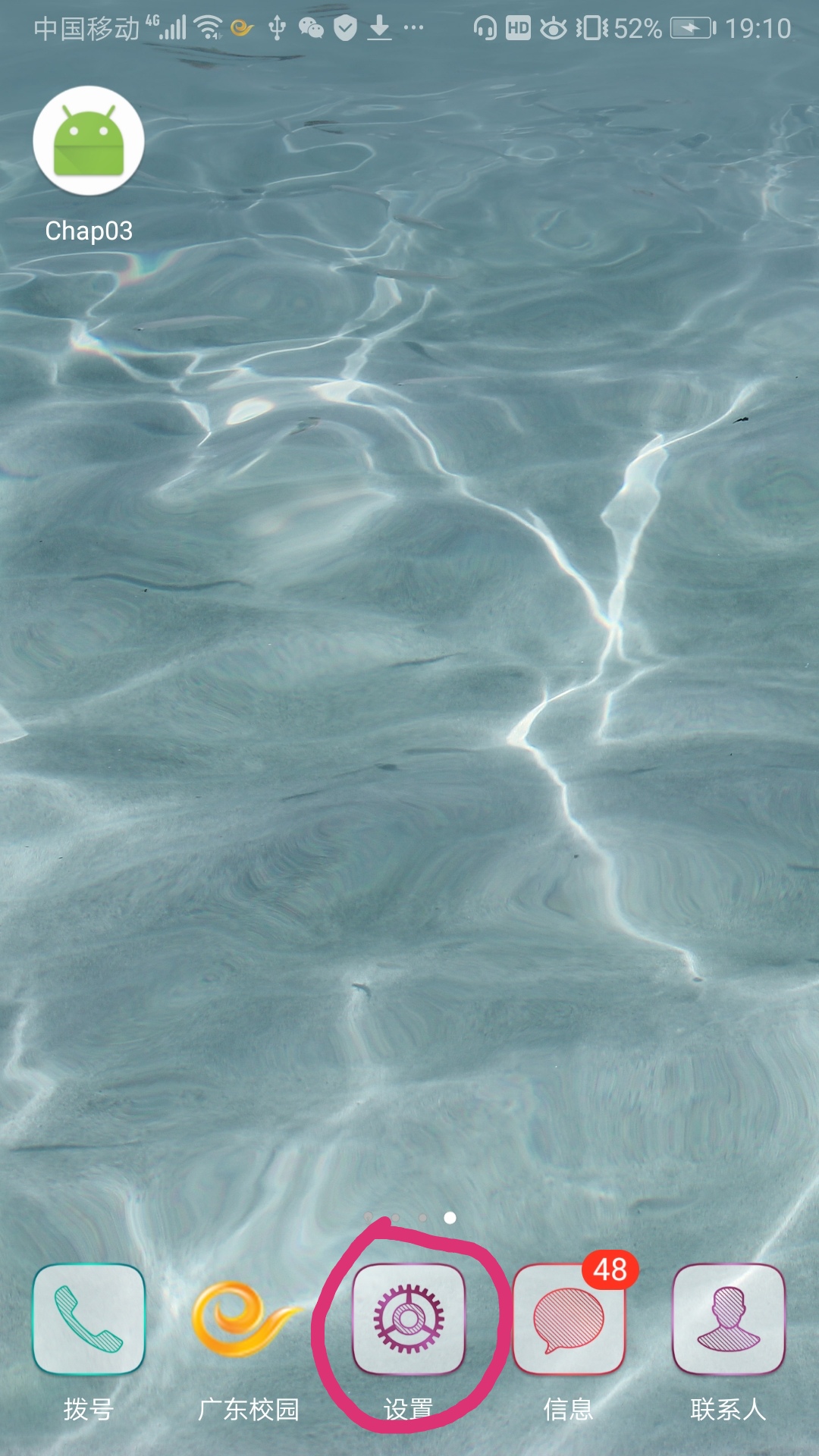 图1
图1
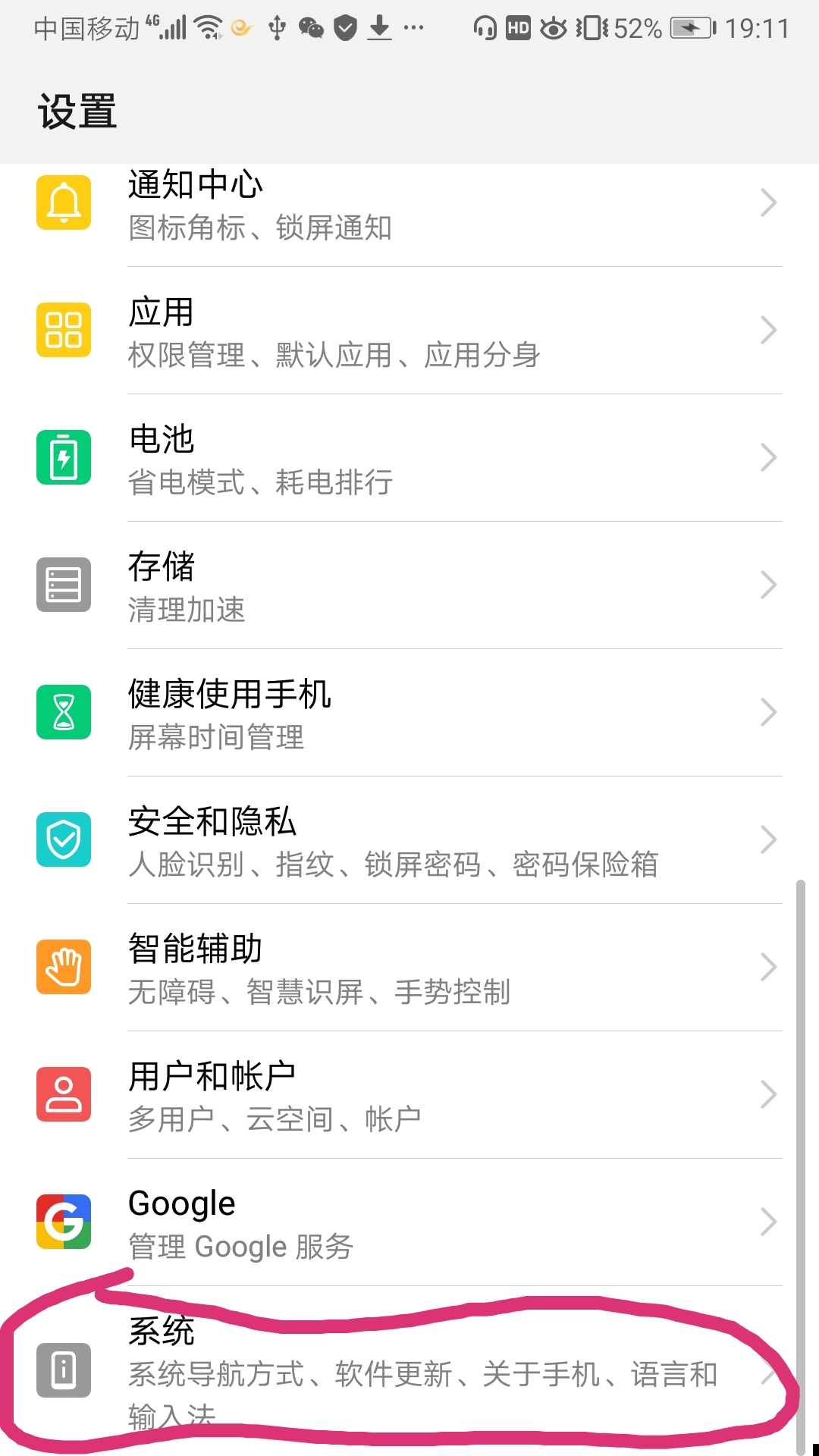 图2
图2
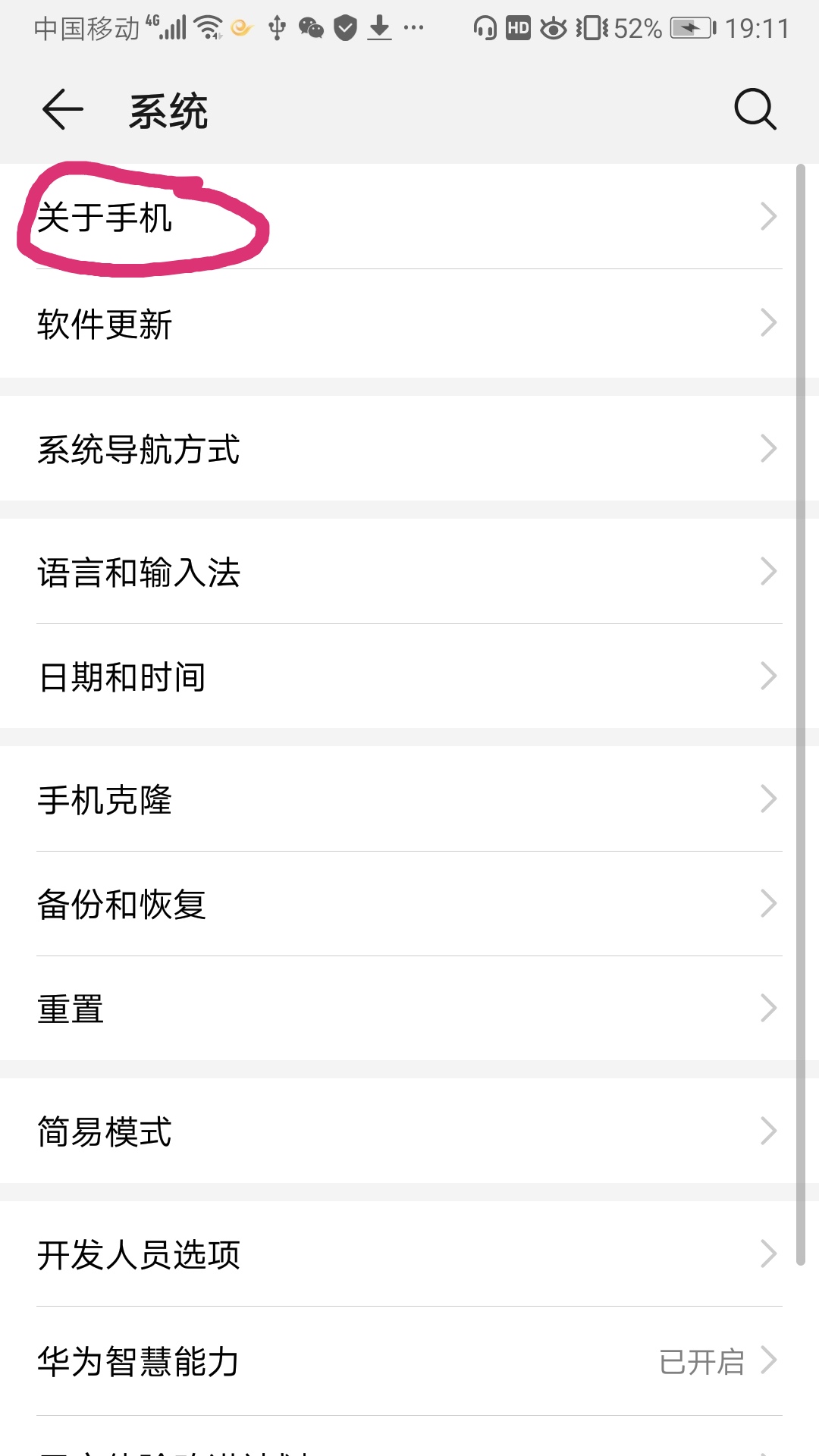 图3
图3
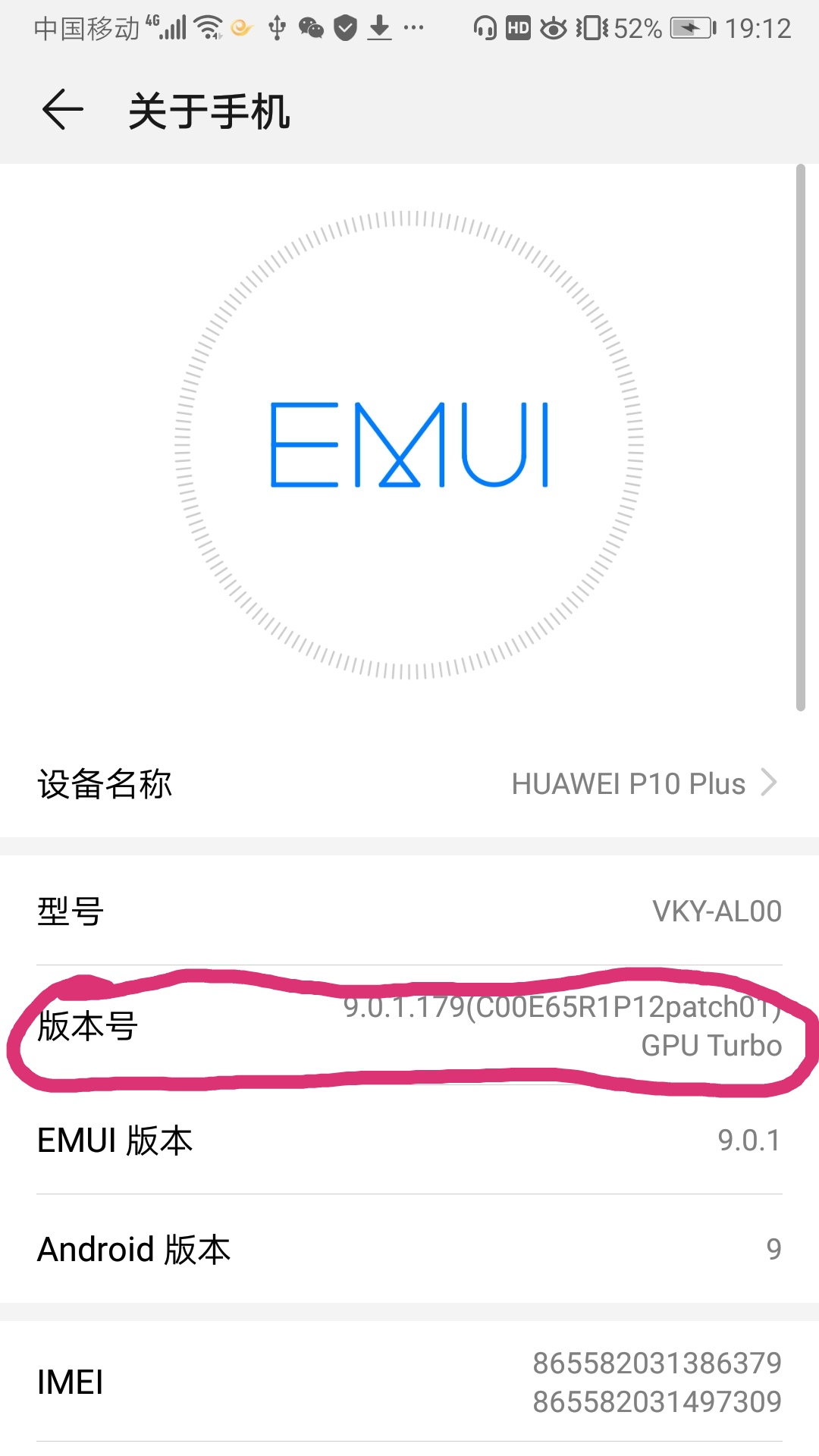 图4
图4
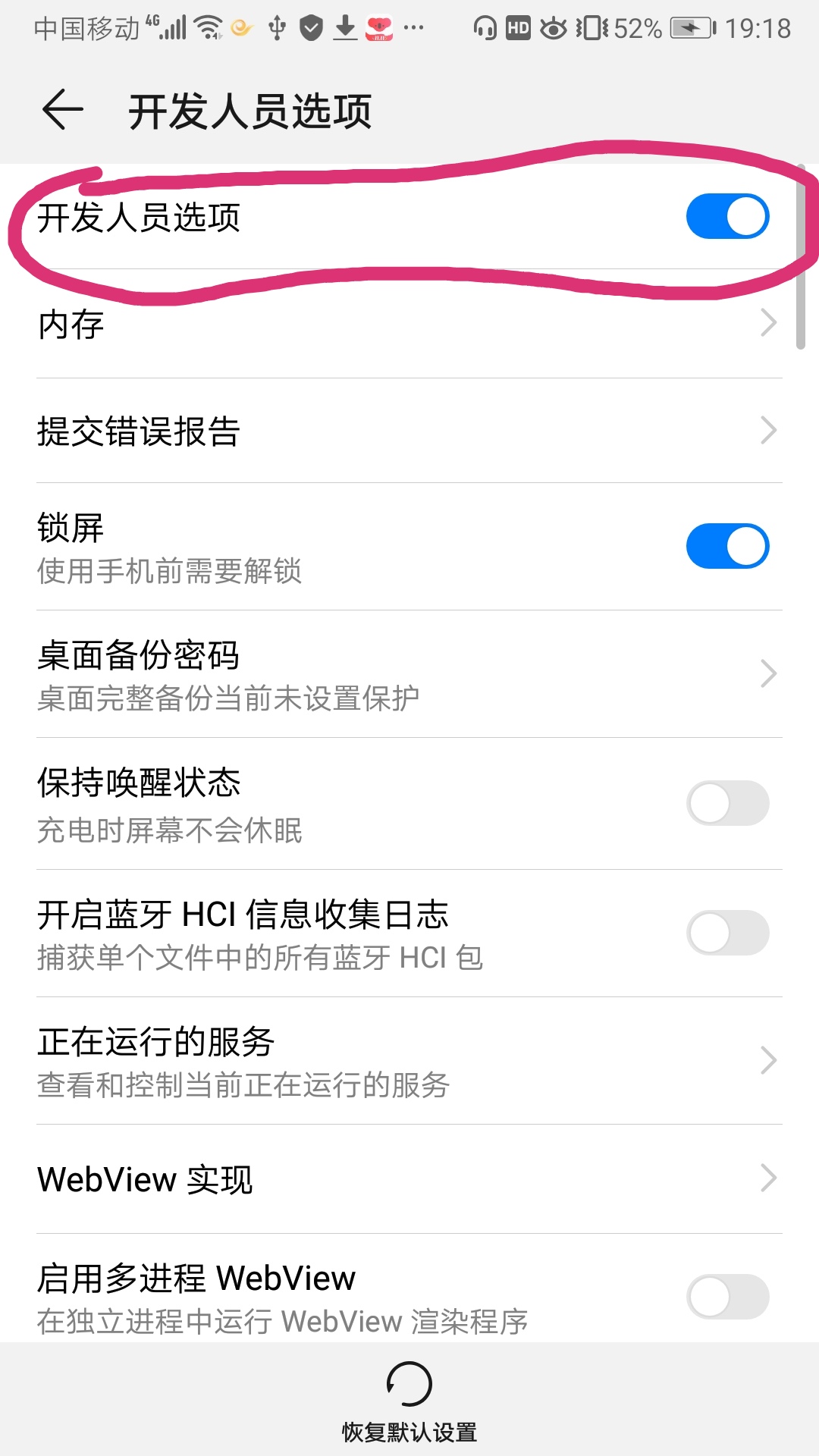 图5
图5
 图6
图6
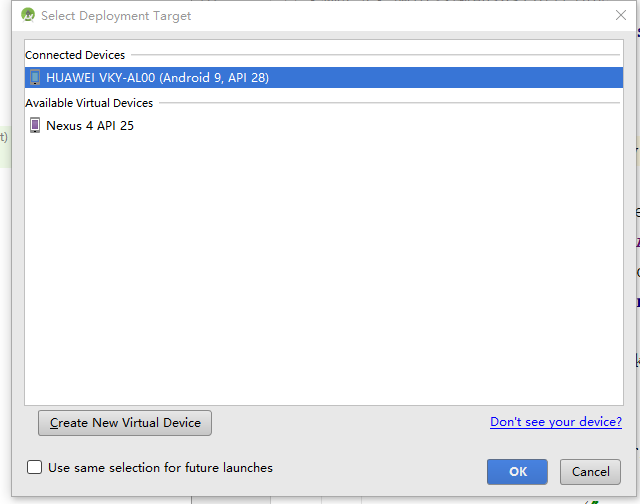 图7
图7
【例3-5】 使用MediaRecorder类录音,输出AMR格式文件
AMR格式多用于人声,适合通话录音。
布局文件activity_recorder.xml的源代码
<?xml version="1.0" encoding="utf-8"?>
<android.support.constraint.ConstraintLayout xmlns:android="http://schemas.android.com/apk/res/android"
xmlns:app="http://schemas.android.com/apk/res-auto"
android:layout_width="match_parent"
android:layout_height="match_parent">
<TextView
android:id="@+id/txt"
android:layout_width="wrap_content"
android:layout_height="wrap_content"
android:text="录音示例"
android:textSize="24sp"
app:layout_constraintLeft_toLeftOf="parent"
app:layout_constraintRight_toRightOf="parent"
app:layout_constraintTop_toTopOf="parent"
android:layout_marginTop="80dp" />
<Button
android:id="@+id/button1"
android:layout_width="wrap_content"
android:layout_height="wrap_content"
android:layout_marginTop="33dp"
android:text="开始录音"
android:textSize="18sp"
app:layout_constraintLeft_toLeftOf="parent"
app:layout_constraintRight_toRightOf="parent"
app:layout_constraintTop_toBottomOf="@+id/txt" />
<Button
android:id="@+id/button2"
android:layout_width="wrap_content"
android:layout_height="wrap_content"
android:layout_marginTop="8dp"
android:text="结束录音"
android:textSize="18sp"
app:layout_constraintBottom_toBottomOf="parent"
app:layout_constraintLeft_toLeftOf="parent"
app:layout_constraintRight_toRightOf="parent"
app:layout_constraintTop_toBottomOf="@+id/button1"
app:layout_constraintVertical_bias="0.022" />
</android.support.constraint.ConstraintLayout>
控制文件RecorderActivity.java源代码
package com.example.chap03;
import android.Manifest;
import android.app.Activity;
import android.content.pm.PackageManager;
import android.media.MediaRecorder;
import android.os.Bundle;
import android.os.Environment;
import android.view.View;
import android.view.View.OnClickListener;
import android.widget.Button;
import androidx.core.app.ActivityCompat;
//录音程序只能在手机(不是虚拟机)上运行
public class RecorderActivity extends Activity
{
MediaRecorder mRecorder;
Button startBtn, stopBtn;
String path;
// Storage Permissions
private static final int REQUEST_EXTERNAL_STORAGE = 1;
private static String[] PERMISSIONS_STORAGE = {
Manifest.permission.READ_EXTERNAL_STORAGE,
Manifest.permission.WRITE_EXTERNAL_STORAGE
};
public static void verifyStoragePermissions(Activity activity) {
// Check if we have write permission
int permission = ActivityCompat.checkSelfPermission(activity, Manifest.permission.WRITE_EXTERNAL_STORAGE);
if (permission != PackageManager.PERMISSION_GRANTED) {
// We don't have permission so prompt the user
ActivityCompat.requestPermissions(
activity,
PERMISSIONS_STORAGE,
REQUEST_EXTERNAL_STORAGE
);
}
}
@Override
public void onCreate(Bundle savedInstanceState)
{
super.onCreate(savedInstanceState);
verifyStoragePermissions(this);
setContentView(R.layout.activity_recorder);
path= Environment.getExternalStoragePublicDirectory(Environment.DIRECTORY_DOWNLOADS)+"/audio.amr";
startBtn = (Button)findViewById(R.id.button1);
stopBtn = (Button)findViewById(R.id.button2);
startBtn.setOnClickListener(new mClick());
stopBtn.setOnClickListener(new mClick());
}
class mClick implements OnClickListener
{
@Override
public void onClick(View v)
{
if(v == startBtn)
startRecordAudio(path);
else if(v == stopBtn)
stopRecord();
}
}
void startRecordAudio(String path)
{
mRecorder=new MediaRecorder();
mRecorder.setAudioSource(MediaRecorder.AudioSource.MIC);
mRecorder.setOutputFormat(
MediaRecorder.OutputFormat.THREE_GPP);
mRecorder.setAudioEncoder(
MediaRecorder.AudioEncoder.AMR_NB);
mRecorder.setOutputFile(path);
try {
mRecorder.prepare();
}catch (Exception e) {
System.out.println("Recorder error ");
}
mRecorder.start();
}
void stopRecord()
{
mRecorder.stop(); //停止录制
mRecorder.reset(); //重置
mRecorder.release();//释放播放器有关资源
}
}
打开项目配置文件AndroidManifest.xml,修改工程要启动的Activity类名
<?xml version="1.0" encoding="utf-8"?>
<manifest xmlns:android="http://schemas.android.com/apk/res/android"
package="com.example.chap03">
<application
android:allowBackup="true"
android:icon="@mipmap/ic_launcher"
android:label="@string/app_name"
android:roundIcon="@mipmap/ic_launcher_round"
android:supportsRtl="true"
android:theme="@style/AppTheme">
<activity android:name=".RecorderActivity ">
<intent-filter>
<action android:name="android.intent.action.MAIN" />
<category android:name="android.intent.category.LAUNCHER" />
</intent-filter>
</activity>
</application>
<uses-permission android:name="android.permission.WRITE_EXTERNAL_STORAGE" />
<uses-permission android:name="android.permission.READ_EXTERNAL_STORAGE" />
<uses-permission android:name="android.permission.RECORD_AUDIO"/>
</manifest>

