JDK Installation
上一节
下一节
JDK Installation
1. Download and Install JDK
JDK URL: https://www.oracle.com/technetwork/java/javase/downloads/index.html
2. Setting the PATH Environment Variable
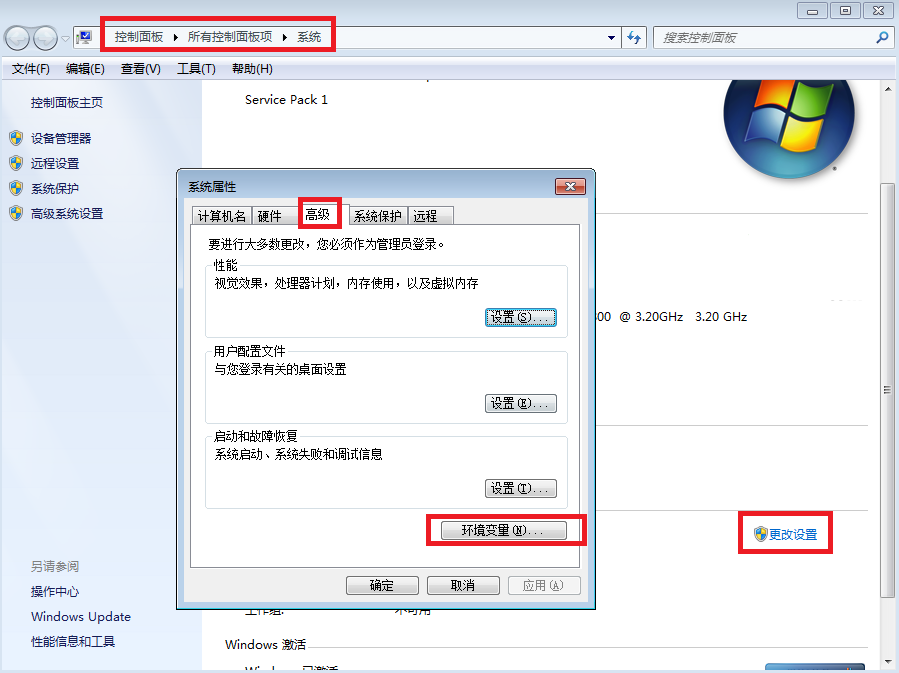
(1) Select Control Panel and then System. Click Advanced and then Environment Variables.
(右击我的电脑-更改设置-高级-环境变量)
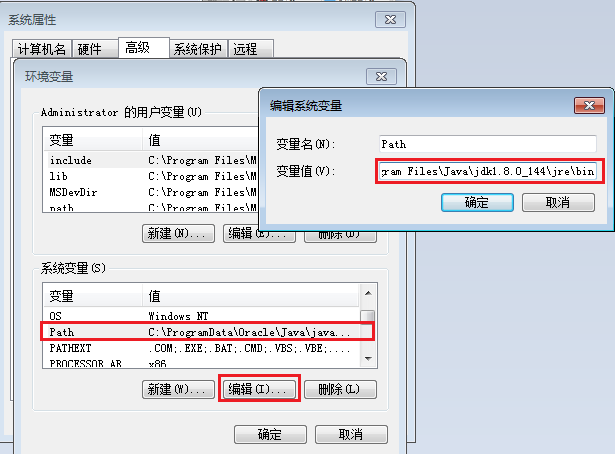
(2) Add the location of the bin folder of the JDK installation to the PATH variable in System Variables.
C:\Program Files\Java\jdk1.8.0_144\bin;C:\Program Files\Java\jdk1.8.0_144\jre\bin
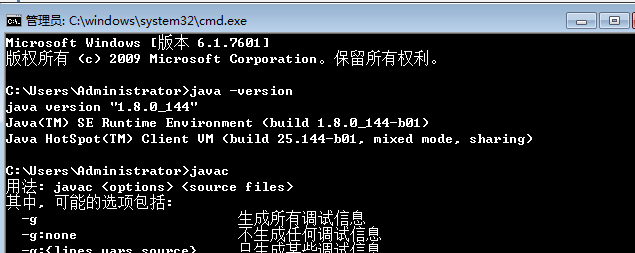
(3) Test java and javac command